> ## Documentation Index
> Fetch the complete documentation index at: https://docs.opai.today/llms.txt
> Use this file to discover all available pages before exploring further.
# 上架插件市场
> 让你的插件上架到插件市场
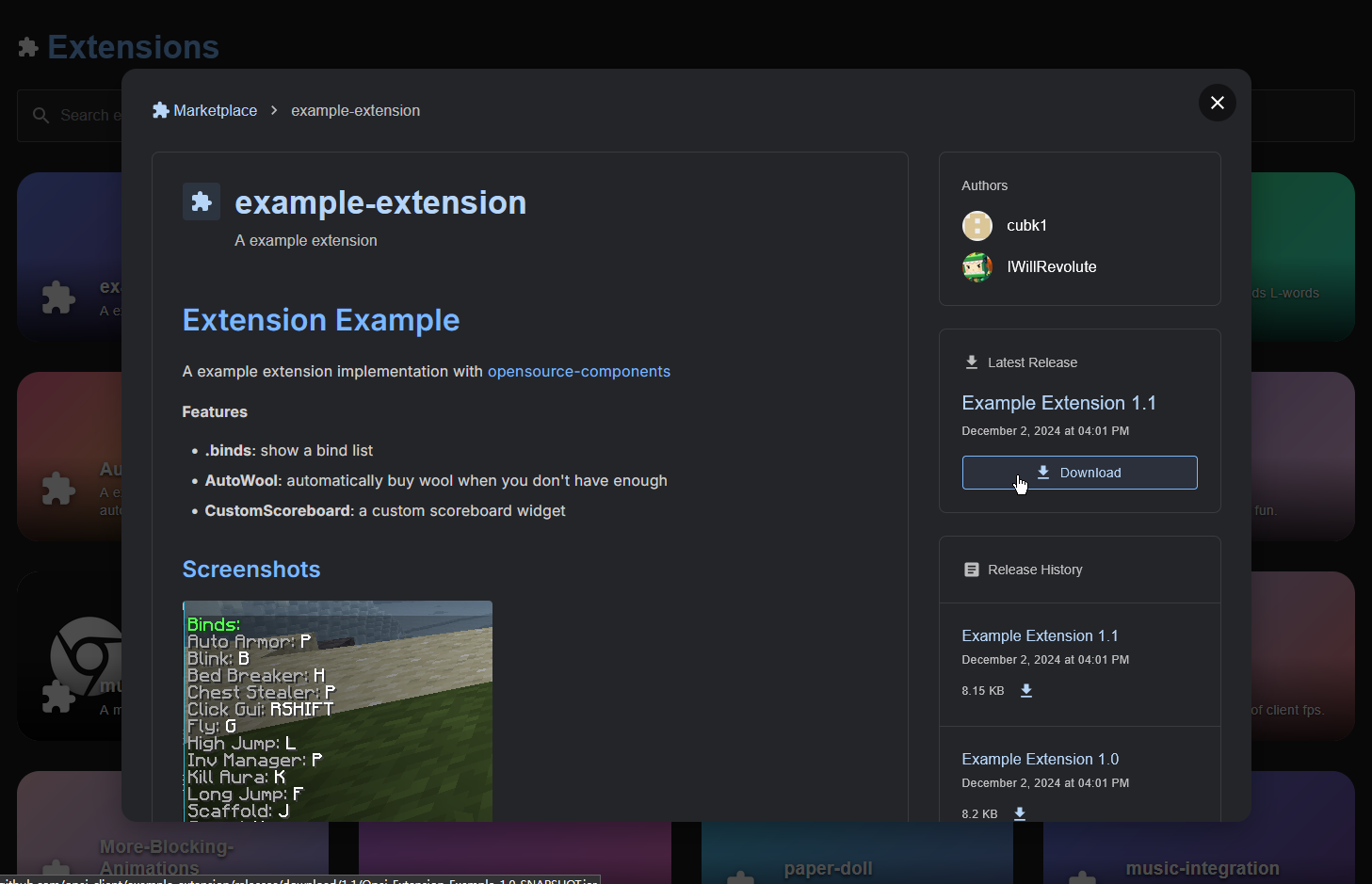 [插件市场](https://opai.today/marketplace)是一个列出公开插件的页面,用户可以快捷的寻找需要的插件。
本页面将会提供一个完整的上架流程
点击[此处](https://api.opai.today/github/join)加入Github组织,此链接会自动邀请你加入,必须查看邮箱或者前往组织主页点击接受才能完成加入。
Open the llms.txt for this site.
* 在组织中创建一个公开仓库,名字为你的插件的名字即可
* 在仓库中创建Release,上传你的插件JAR
* 在仓库中创建`README.md`,内容为你的插件的介绍
* 给仓库添加`opai-extension`标签
在完成上述步骤之后,你可以在[插件市场](https://opai.today/marketplace)中看到你的插件(更新可能需要最多30分钟),如果30分钟仍然没有见到你的插件则可能是格式或者服务端出现了问题。
[插件市场](https://opai.today/marketplace)是一个列出公开插件的页面,用户可以快捷的寻找需要的插件。
本页面将会提供一个完整的上架流程
点击[此处](https://api.opai.today/github/join)加入Github组织,此链接会自动邀请你加入,必须查看邮箱或者前往组织主页点击接受才能完成加入。
Open the llms.txt for this site.
* 在组织中创建一个公开仓库,名字为你的插件的名字即可
* 在仓库中创建Release,上传你的插件JAR
* 在仓库中创建`README.md`,内容为你的插件的介绍
* 给仓库添加`opai-extension`标签
在完成上述步骤之后,你可以在[插件市场](https://opai.today/marketplace)中看到你的插件(更新可能需要最多30分钟),如果30分钟仍然没有见到你的插件则可能是格式或者服务端出现了问题。