> ## Documentation Index
> Fetch the complete documentation index at: https://docs.opai.today/llms.txt
> Use this file to discover all available pages before exploring further.
# Publish on the Marketplace
> List your extension on the Marketplace
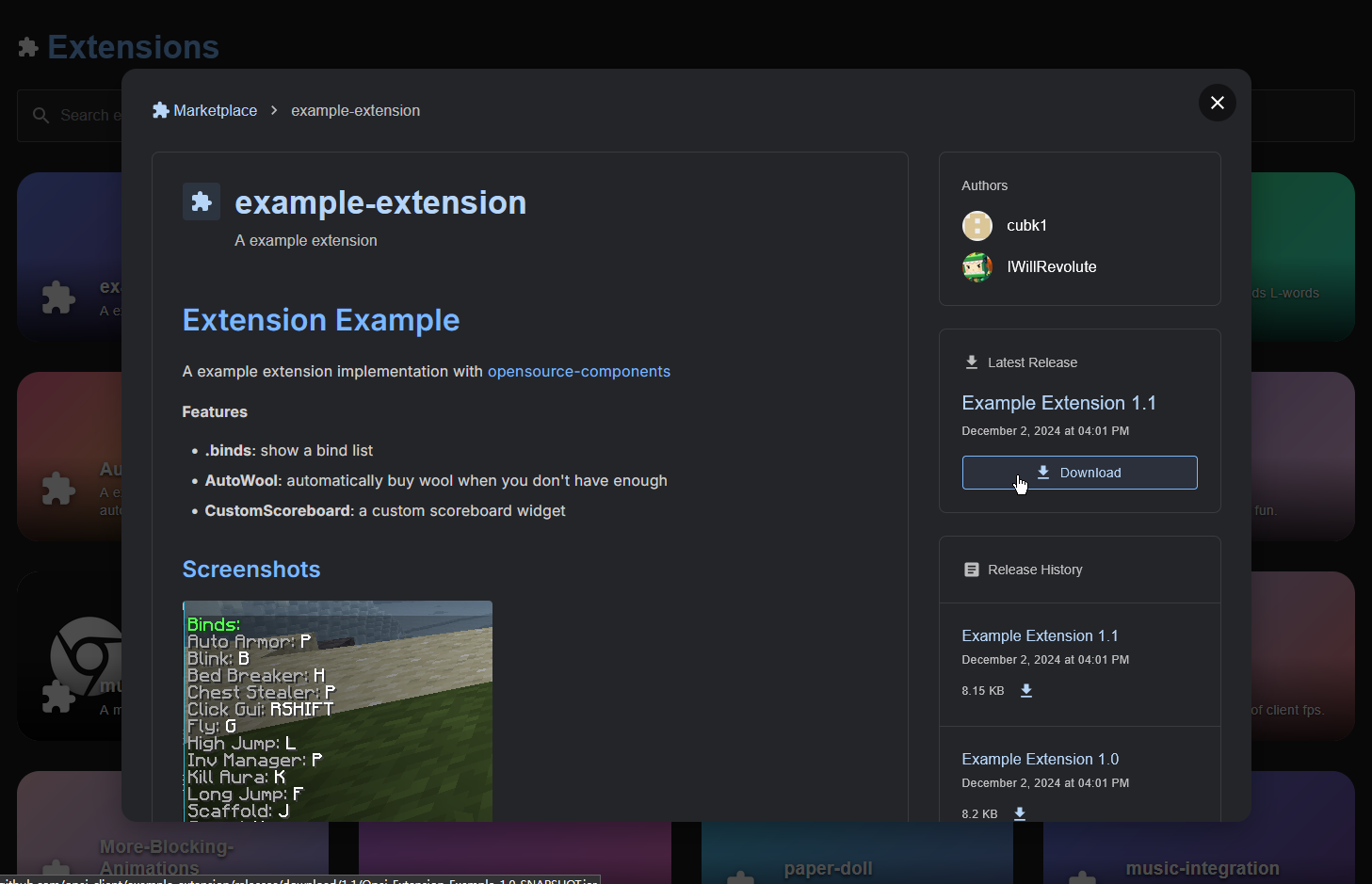 The [Marketplace](https://opai.today/marketplace) is a page that lists publicly available extensions, making it easy for users to discover and install what they need.
This page provides the complete process for publishing your extension.
Click [here](https://api.opai.today/github/join) to join the GitHub organization.\
This link will automatically invite you to the organization, make sure to check your email or go to the organization page to accept it.
Open the llms.txt for this site.
* Create a **public repository** in the organization, named as your extension.
* Create a **Release** in the repository and upload your extension JAR.
* Add a `README.md` with a description of your extension.
* Add the `opai-extension` tag to the repository.
Once these steps are complete, your extension will appear on the [Marketplace](https://opai.today/marketplace).\
Updates may take up to 30 minutes. If your extension does not show up after that time, there may be a formatting error or a server issue.
The [Marketplace](https://opai.today/marketplace) is a page that lists publicly available extensions, making it easy for users to discover and install what they need.
This page provides the complete process for publishing your extension.
Click [here](https://api.opai.today/github/join) to join the GitHub organization.\
This link will automatically invite you to the organization, make sure to check your email or go to the organization page to accept it.
Open the llms.txt for this site.
* Create a **public repository** in the organization, named as your extension.
* Create a **Release** in the repository and upload your extension JAR.
* Add a `README.md` with a description of your extension.
* Add the `opai-extension` tag to the repository.
Once these steps are complete, your extension will appear on the [Marketplace](https://opai.today/marketplace).\
Updates may take up to 30 minutes. If your extension does not show up after that time, there may be a formatting error or a server issue.